
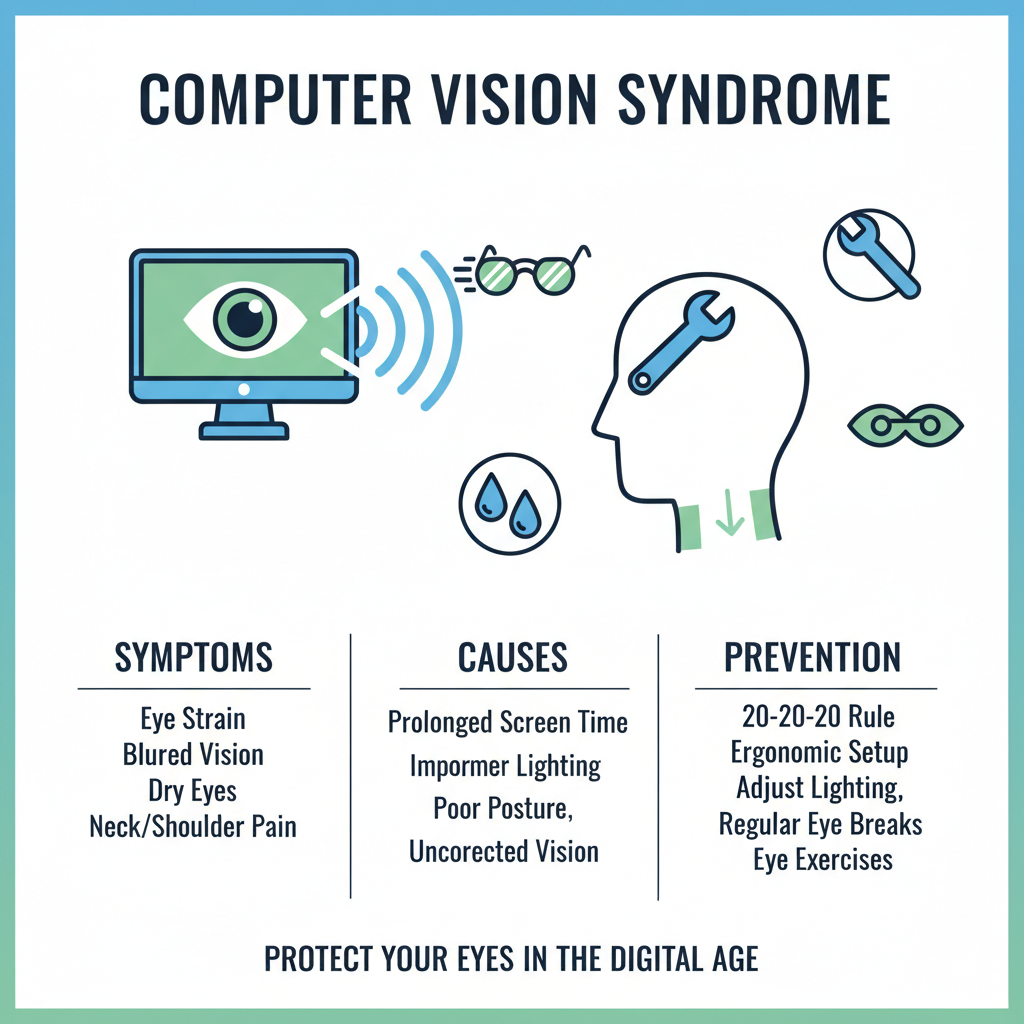
Computer Vision Syndrome: Best Eye Exercises & Preventive Tips
In today’s digital era, our eyes are working harder than ever. Whether you’re on a laptop for work, scrolling endlessly on your phone, or switching between screens all day, your eyes rarely get the break they deserve. This constant focus on digital screens has led to a growing problem known as Computer Vision Syndrome (CVS), often referred to as Digital Eye Strain. If you’ve ever felt your eyes burning, itching, watering, or simply feeling tired after long screen time, you’ve already experienced the early signs of CVS. The good news? You can manage, reduce, and even prevent these symptoms with simple lifestyle adjustments and daily eye exercises. Let’s dive into what causes Computer Vision Syndrome, how it affects your eyes, and the best exercises and preventive tips recommended by eye specialists.
What Is Computer Vision Syndrome?
Computer Vision Syndrome is a group of eye and vision-related problems that result from prolonged use of digital devices. It’s not a single condition—it’s a combination of symptoms triggered by focusing intensely on screens for extended periods.
Common symptoms include:
- Dry eyes
- Blurred vision
- Headaches
- Eye strain
- Neck or shoulder pain
- Difficulty focusing
- Redness or irritation
- Burning or itching sensation
The more time you spend on screens without breaks, the more intense these symptoms can become.
Why Does Screen Time Affect Our Eyes?
Digital screens impact our eyes in several ways:
1. Reduced Blinking
Normally, we blink around 15–20 times per minute. When staring at a screen, this reduces to almost half. Less blinking means less lubrication, which leads to dry eyes.
2. Brightness & Blue Light
Screens emit blue light, which can interfere with your sleep cycle and contribute to digital eye strain. Excessive brightness also forces the eyes to work harder.
3. Holding Eyes at the Same Distance
Focusing at a fixed distance for hours strains your eye muscles. Over time, this can cause blurred vision and difficulty adjusting focus.
4. Poor Posture & Screen Angle
A screen placed too high, too close, or too far can strain not only your eyes but also your neck and shoulders.
5. Extended Near Work
Reading and working up close for long hours forces your eye muscles to stay contracted, causing fatigue. Understanding these factors helps you take corrective steps and starting with simple exercises.
Best Eye Exercises to Reduce Computer Vision Syndrome
Eye exercises don’t require any equipment, and most take less than two minutes. Practicing them daily can significantly reduce digital eye strain.
1. The 20–20–20 Rule (The Most Important One)
Every 20 minutes, look at something 20 feet away for 20 seconds. Why it works:
It relaxes the eye muscles responsible for near work and prevents prolonged focusing fatigue.
Tip: Set reminders on your phone or install a browser extension.
2. Blinking Exercise
Conscious blinking helps restore moisture.
Try this:
- Blink normally for 10 seconds
- Close your eyes gently for 5 seconds
- Open for 3 seconds
- Repeat 5–10 times
This improves tear distribution and reduces dryness.
3. Near & Far Focus Exercise
This is excellent for strengthening the eye muscles responsible for focusing.
How to do it:
-
Hold your thumb 10–12 inches in front of your face.
-
Focus on it for 10 seconds.
-
Shift your focus to something 20 feet away for 10 seconds.
-
Repeat 10 times.
This exercise improves flexibility and reduces blurry vision after screen use.
4. Eye Rotation Exercise
Eye rotations help relax tired muscles.
Steps:
- Slowly rotate your eyes clockwise 5 times
- Then anticlockwise 5 times
- Keep your head still while moving only your eyes
This relieves stiffness around the eyes.
5. Palming (Relaxation Technique)
This soothing technique relieves stress and calms your eye muscles.
Steps:
-
Rub your palms together to warm them.
-
Gently cup your palms over your closed eyes (without pressing).
-
Make sure no light enters.
-
Stay in this position for 30–60 seconds.
This eases strain and helps refresh the mind.
Preventive Tips to Avoid Computer Vision Syndrome
Exercises alone aren’t enough. You need simple lifestyle changes to reduce the strain on your eyes.
1. Adjust Your Screen Position
For maximum comfort:
- Keep the screen 20–28 inches away
- Position it so the top of the screen is at or slightly below eye level
- Tilt the screen slightly backward (10–20 degrees)
- Avoid glare from windows or overhead lights
This reduces both eye and neck strain.
2. Improve Your Lighting
Improper lighting is one of the biggest causes of digital eye strain.
Tips:
- Use soft, ambient lighting
- Avoid harsh white overhead lights
- Position your screen away from direct light sources
- Use curtains or blinds to reduce glare
If possible, use a desk lamp with adjustable brightness.
3. Increase Your Text Size & Contrast
Small text forces your eyes to work harder.
Try:
- Increasing the font size
- Enhancing screen contrast
- Using “reader mode” for webpages
These small adjustments make a big difference.
4. Take Frequent Breaks
Don’t stay glued to the screen for hours.
Follow:
- The 20–20–20 rule
- Micro-breaks every hour (stand, stretch, hydrate)
- Occasional screen-free time during the day
Even 2-minute breaks help reset your eyes.
5. Use Lubricating Eye Drops (If Needed)
If you experience soreness or dryness:
- Use preservative-free lubricating drops
- Avoid overusing decongestant eye drops
- Consult an eye specialist for recommended brands
Drops help restore moisture and comfort.
6. Adjust Blue Light Settings
Blue light doesn’t damage the eyes but contributes to strain and disrupts sleep.
To reduce exposure:
- Turn on “Night Mode” on all devices
- Use blue light filters
- Reduce brightness in low-light environments
- Avoid screens 1 hour before bed
This helps your eyes relax.
7. Maintain Proper Posture
Your eyes and posture are more connected than you think.
Good posture includes:
- Sitting upright
- Keeping feet flat on the floor
- Maintaining a 90-degree angle at knees and elbows
- Keeping your screen at a comfortable height
Poor posture causes neck strain, which triggers tension around the eyes.
8. Stay Hydrated & Follow an Eye-Friendly Diet
Hydration keeps your tear film healthy.
Eye-healthy foods include:
- Carrots
- Spinach
- Broccoli
- Fish rich in omega-3s
- Nuts and seeds
- Citrus fruits
These nutrients support tear production and eye muscle health.
9. Limit Screen Time Before Bed
Late-night screen time:
- Reduces melatonin
- Affects sleep
- Strains the eyes even more
Try:
- Reading a physical book
- Listening to music or podcasts
- Relaxing with warm eye compresses
Your eyes will feel fresher in the morning.
When Should You See an Eye Specialist?
If you experience any of the following, schedule a detailed eye exam:
- Frequent headaches
- Persistent dryness
- Difficulty focusing
- Red or irritated eyes
- Blurred or fluctuating vision
- Pain around the eyes
An ophthalmologist can assess whether your symptoms are due to Computer Vision Syndrome or another underlying condition. Computer Vision Syndrome may be a modern problem, but it’s completely manageable with the right habits. Simple exercises, conscious blinking, proper lighting, posture, and regular breaks can make a huge difference in your daily comfort. Most importantly, don’t ignore persistent symptoms—your eyes are working harder than you realize. With small everyday changes, you can protect your vision, improve productivity, and ensure your eyes stay healthy in the long run.